> ## Documentation Index
> Fetch the complete documentation index at: https://developer.nomba.com/llms.txt
> Use this file to discover all available pages before exploring further.
# Environment
> Learn about the production and sandbox environment
The Nomba API operates within two distinct environments: the production environment (LIVE) and the sandbox environment. These environments serve different purposes and require specific credentials for interaction.
## Base URLs
| Environment | Base URL | Purpose |
| ----------- | --------------------------- | ----------------------------- |
| Production | `https://api.nomba.com` | Live transactions, real money |
| Sandbox | `https://sandbox.nomba.com` | Development and testing |
The base URL and credentials must always be paired to match the same environment. Using sandbox credentials with `api.nomba.com`, or production credentials with `sandbox.nomba.com`, will result in authentication errors.
## Credentials
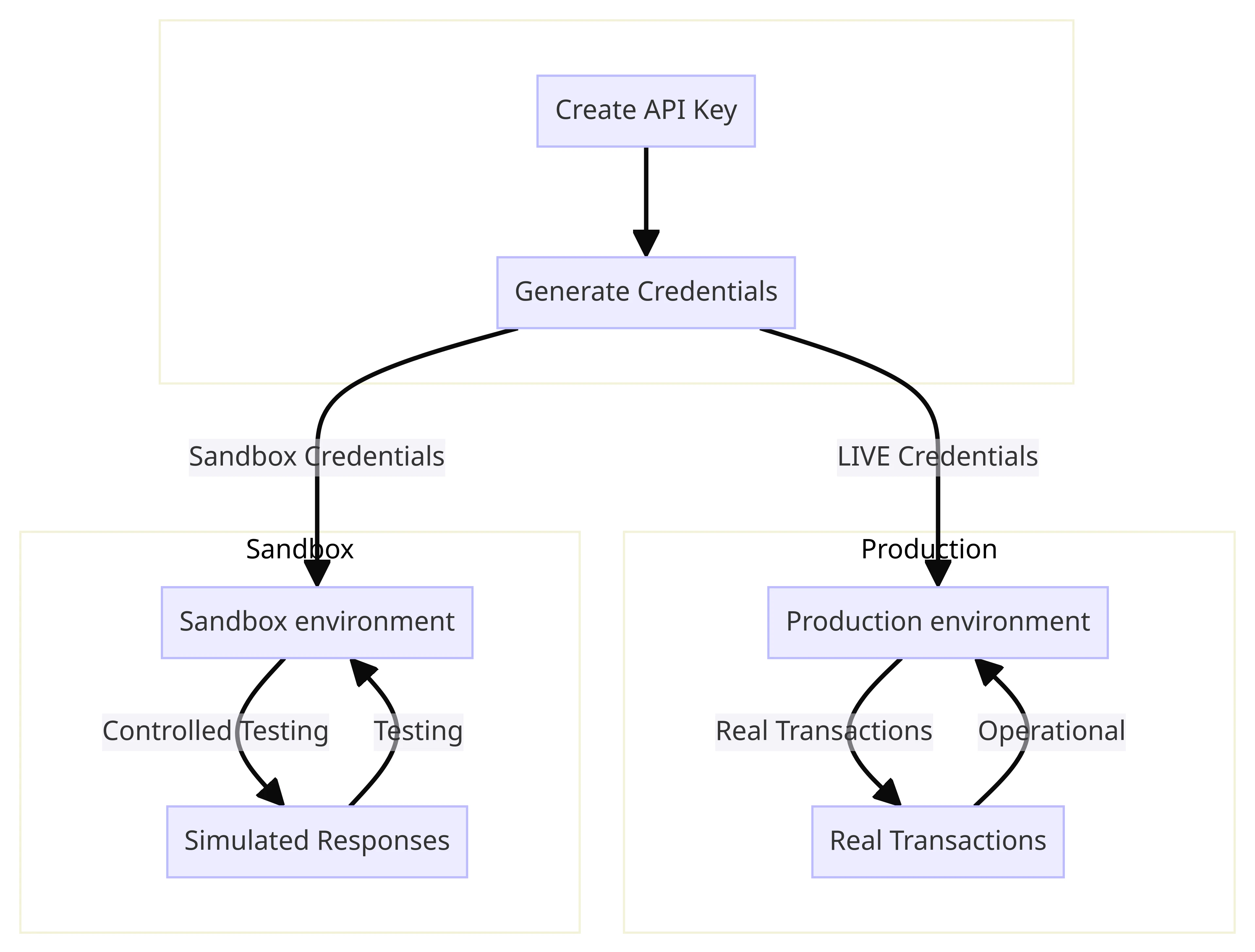 When you create an API key on the Nomba dashboard, both production and sandbox credential pairs (`clientId` + `clientSecret`) are generated at the same time. They are separate — sandbox credentials only work with the sandbox base URL, and production credentials only work with the production base URL.
## Production
When using the production environment, your interactions directly affect the live system. Real transactions are processed and real money moves. Always use `https://api.nomba.com` with your production `clientId` and `clientSecret`.
## Sandbox
The sandbox is an isolated environment for development and testing. Transactions do not affect your live account or move real funds.
Transactions conducted in the sandbox environment do not impact the production environment.
To make a sandbox API call, use `https://sandbox.nomba.com` with your **test credentials** from the dashboard. Here is a sample sandbox authentication request:
```bash theme={null}
curl --request POST \
--url https://sandbox.nomba.com/v1/auth/token/issue \
--header 'Content-Type: application/json' \
--header 'accountId: ' \
--data '{
"grant_type": "client_credentials",
"client_id": "",
"client_secret": ""
}'
```
The sandbox returns simulated responses that mirror production behaviour. Data in the sandbox is isolated and does not appear on your live dashboard. See the [Testing](/docs/api-basics/testing) page for test card details and transaction scenarios.
When you create an API key on the Nomba dashboard, both production and sandbox credential pairs (`clientId` + `clientSecret`) are generated at the same time. They are separate — sandbox credentials only work with the sandbox base URL, and production credentials only work with the production base URL.
## Production
When using the production environment, your interactions directly affect the live system. Real transactions are processed and real money moves. Always use `https://api.nomba.com` with your production `clientId` and `clientSecret`.
## Sandbox
The sandbox is an isolated environment for development and testing. Transactions do not affect your live account or move real funds.
Transactions conducted in the sandbox environment do not impact the production environment.
To make a sandbox API call, use `https://sandbox.nomba.com` with your **test credentials** from the dashboard. Here is a sample sandbox authentication request:
```bash theme={null}
curl --request POST \
--url https://sandbox.nomba.com/v1/auth/token/issue \
--header 'Content-Type: application/json' \
--header 'accountId: ' \
--data '{
"grant_type": "client_credentials",
"client_id": "",
"client_secret": ""
}'
```
The sandbox returns simulated responses that mirror production behaviour. Data in the sandbox is isolated and does not appear on your live dashboard. See the [Testing](/docs/api-basics/testing) page for test card details and transaction scenarios.