

Get Delivered Events
Nomba offers a smooth method for tracking down or debugging earlier webhooks that were sent to your system. This is useful:- When you wish to verify whether a webhook was actually sent to your system.
- When a problem occurs and you need to go back and confirm that you have received notifications of all payment events via webhooks. You can access webhook delivery logs in two ways:
From the Nomba Dashboard
This is the easiest way to debug webhooks. You can view webhook logs, inspect responses from your server, monitor delivery attempts and repush an event directly from the dashboard.- Navigate to Developer → Webhook Repush.
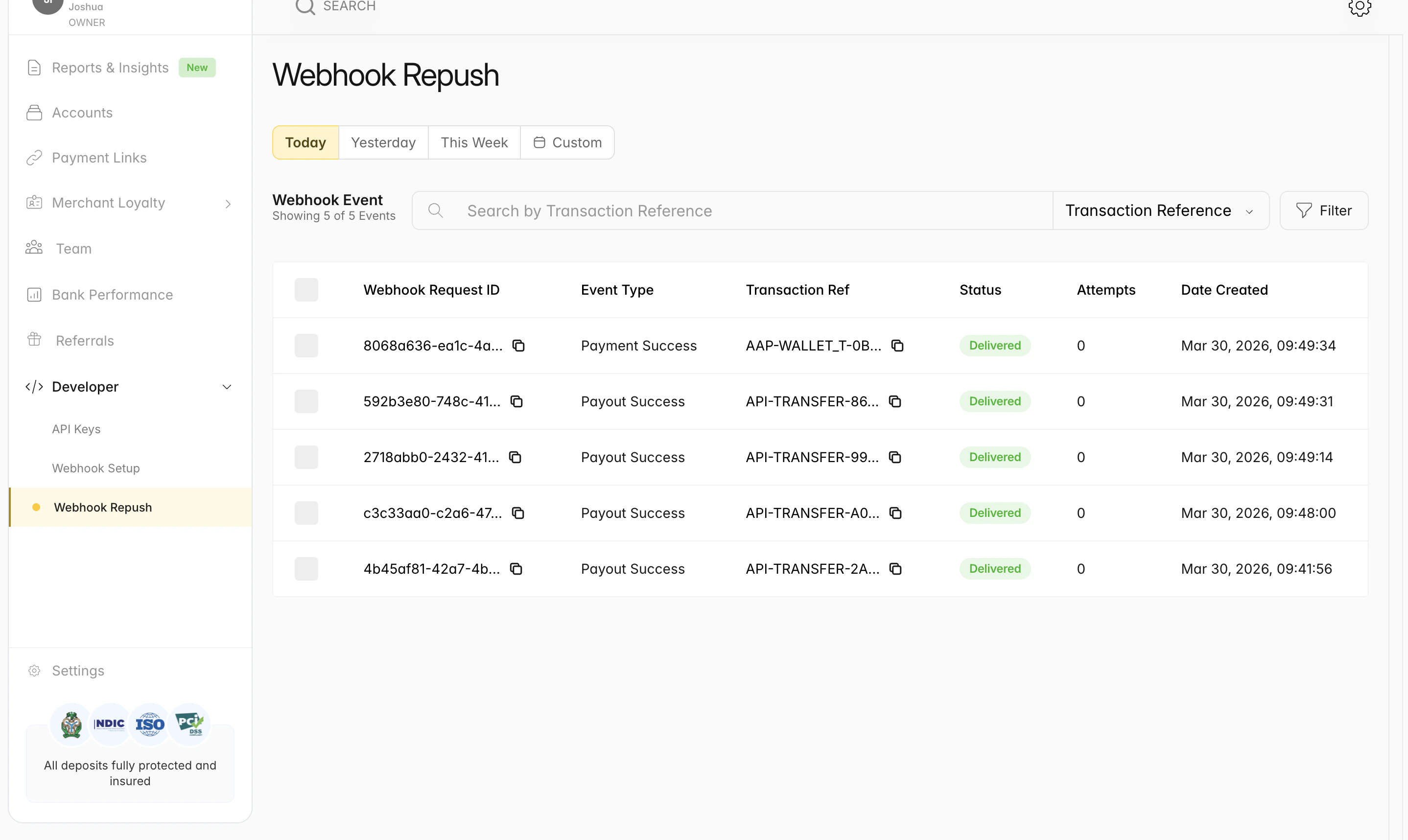
Webhook repush
Programmatically via API
You can query the event logs endpoint to retrieve webhook delivery details for automated monitoring or debugging. By specifying parameters such as the event type or date range, you can fetch webhooks sent within a given timeframe and verify their delivery status. To do this, send aPOSTrequest to this“; this will return a detailed list of events that have been sent to your system.
See a sample request and response data below:
Repush
After carefully reviewing the webhook via the event log API, you may want to do a single webhook repush or bulk repush; this will trigger a resend of the event back to your system. To do a repush, send aPOST request to v1/webhooks/re-push, copy the hooksRequestId of the event to repush from the event log list, and pass it as the request payload.
See a sample request and response data below:
Bulk Repush
Trigger a bulk webhook repush by passing an array ofhooksRequestIds selected from your delivery logs.
See a sample request and response data below:
Webhook Events
You can also query all events that were sent to your system. See a sample request and response data below:Webhook Replay
Webhook replay allows you to re-trigger previous webhook events that were not successfully delivered or whose delivery outcome is uncertain within a timeframe. Replay Eligibility Only certain webhook log statuses are safe to replay.
You can choose from any of the event types below:
PAYMENT_SUCCESS, PAYMENT_FAILED, PAYOUT_SUCCESS, PAYOUT_FAILED, ORDER_SUCCESS, PAYMENT_REVERSAL, and PAYOUT_REFUND.
We strongly recommend implementing idempotency handling on your webhook endpoint to prevent duplicate processing, especially when replaying
INCONCLUSIVE and PUSHED events.