

Introduction
Nomba provides numerous ways to accept payment between merchants and their customers. Payment solutions like POS terminals (point of sale), mobile banking for local and international payments, and Vendor API for businesses looking to integrate payment flow for their businesses. All of these are excellent ways to accept payment. However, Nomba has also provided a payment link for accepting payment via a shareable unique URL that can be sent via email, social channel and any other means for convenience and ease of accepting payment. Payment links are a convenient way to accept online payment without hassle; the unique link shared with a customer will redirect to a payment page where they will complete the payment.Create a Payment link
There are few things to take note of when creating a payment link on your Nomba dashboard. The list below highlights some of the important things to know so that merchants can get the best out of Nomba payment links.- Payment links can only be created on your Nomba dashboard.
- When creating a payment link, you have options to set a fixed amount or allow the customer to input a varying amount.
- Payment links are reusable; this means that multiple customers can pay via the same link at different time intervals.
- Payment links can be deactivated and reactivated at your convenience.
- Payment links can be edited or deleted after creation.
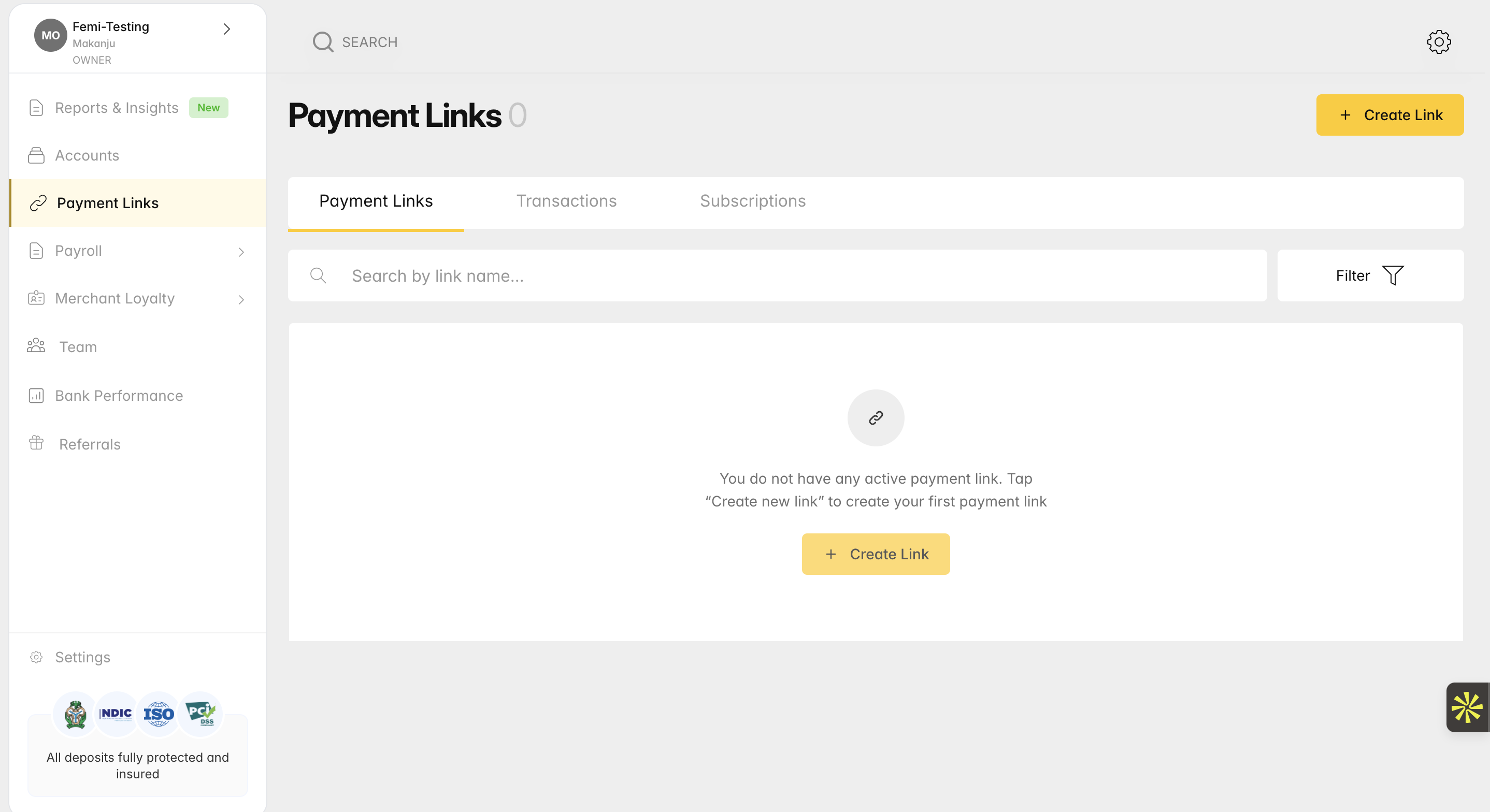
Create payment link
To enable tipping, you must set an amount, as this feature does not work if you intend to allow your customer to set the price.
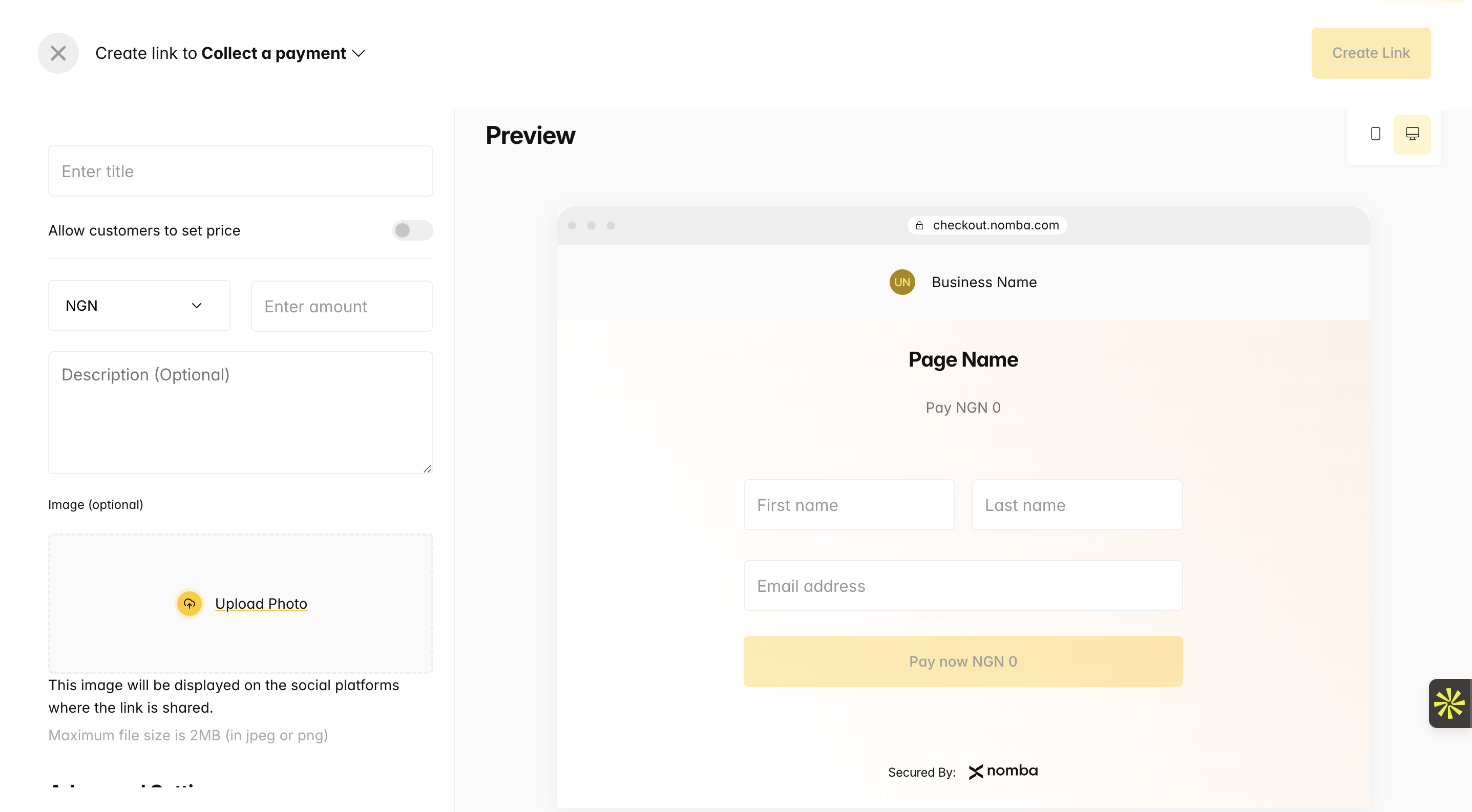
Create Payment link Form
Share Created Payment Link
After you have successfully created a payment link, click on the share button on the list to share it with your customer.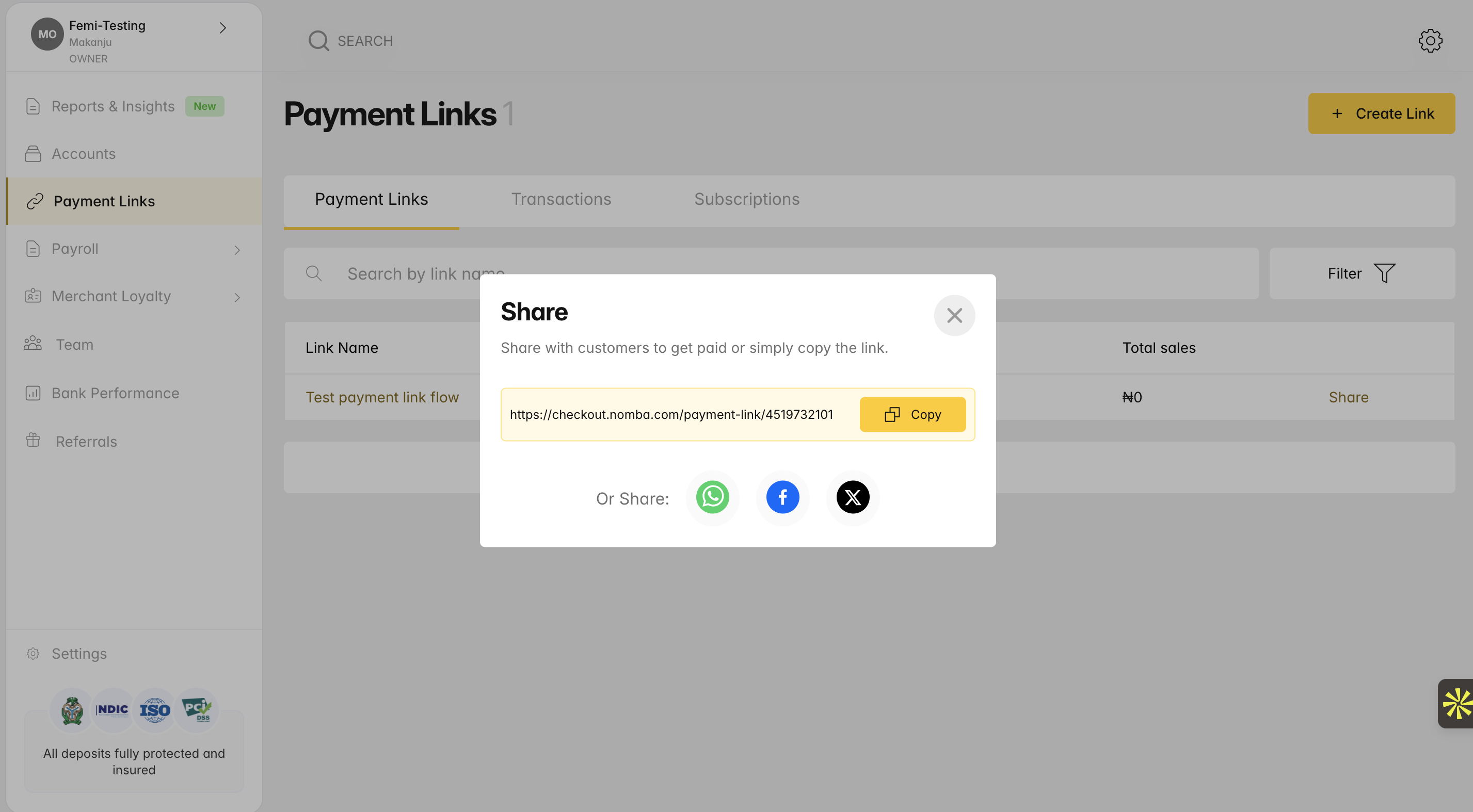
Share Payment Link
Complete Payment.
When a customer opens this link, it redirects them to this view where they enter their name and email before completing the payment on the Nomba checkout page.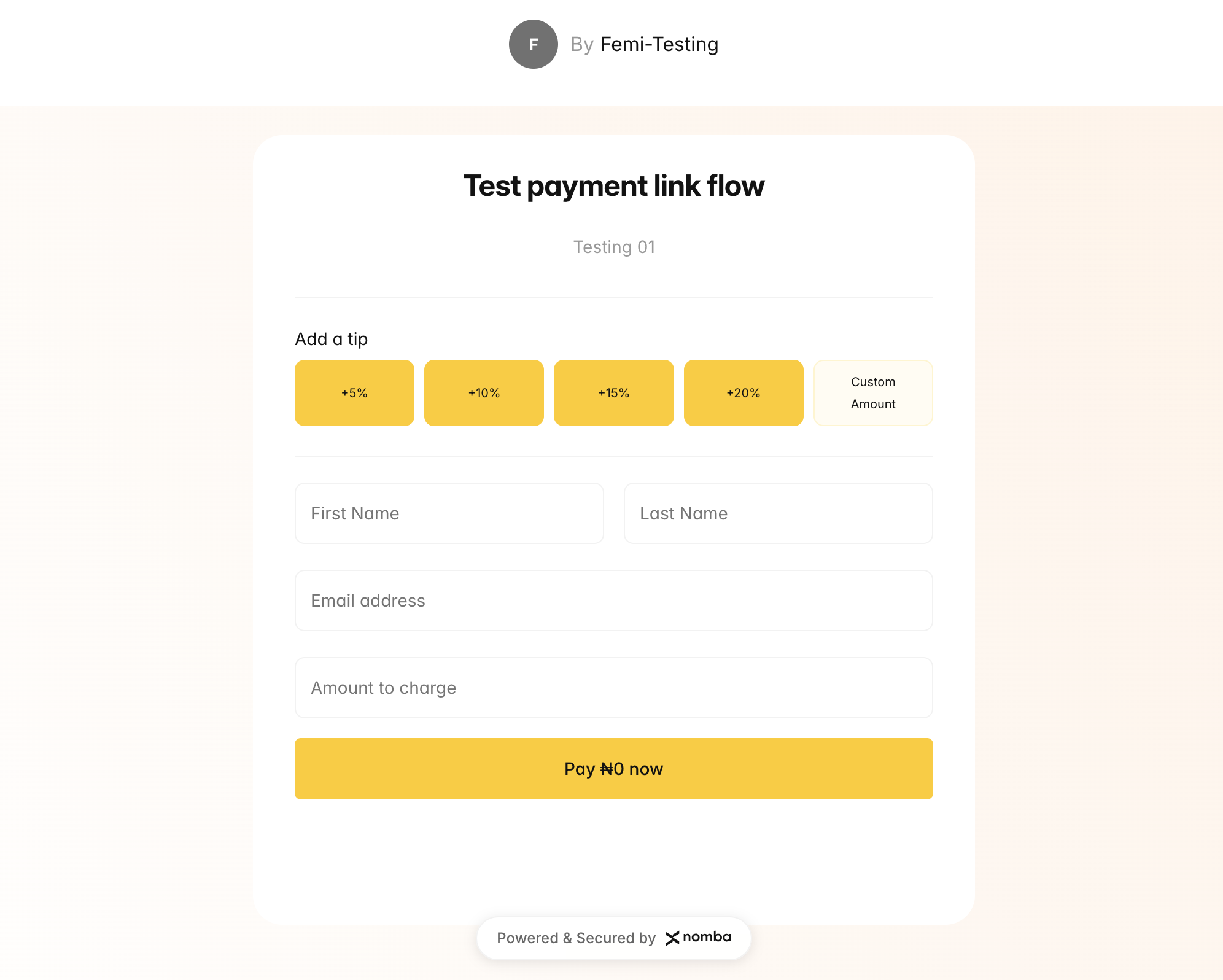
Payment Link View